How do I skip my next subscription delivery?Updated 4 hours ago
Skip anytime from your Landish account, without cancelling your subscription.
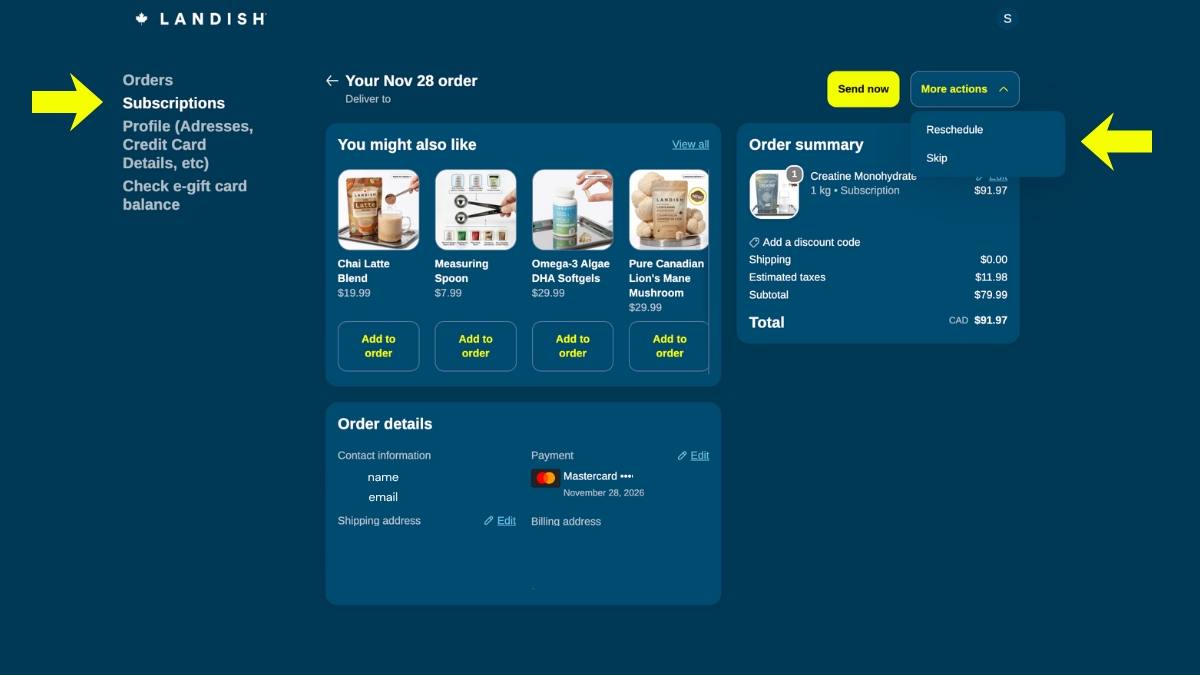
- Log in and select Subscriptions from the left menu.
- Find the product and click Edit options at the bottom of the product card.
- Click More actions in the top right and select Skip.
- Confirm. Your next order is skipped, and your subscription resumes on the following scheduled date.