How do I reschedule my next subscription delivery?Updated an hour ago
You can easily change the date of your upcoming delivery through your Landish customer account.
Log in to your account and select Subscriptions from the left-hand menu.
Find the product you wish to update and click Edit options at the bottom of the product card.
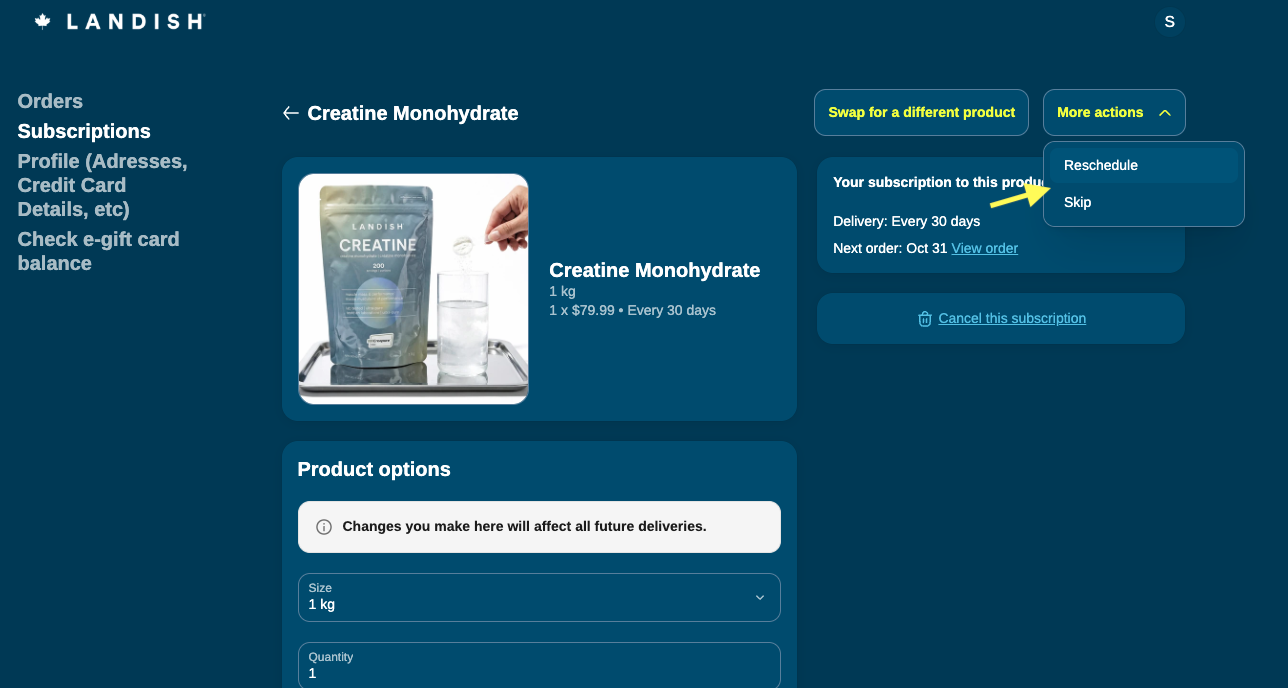
Click More actions in the top right corner and select Reschedule.
Select your new preferred delivery date and save your changes.
(Note: You can also click the Reschedule button directly on the product card from your main Subscriptions page.)